
Employee profiles
Maintain practical employee information in a centralized record.
Use one employee workspace for records, departments, designations, contact details, profile information and employee access.
Explore the product area in more detail and see how it fits into the wider Flowwkkr HR workspace.
Maintain practical employee information in a centralized record.
Organize employees by department for day-to-day HR operations.
Store role and designation information alongside employee records.
Keep email, phone and other contact information available to authorized users.
Employees can update their own profile information and photo where permitted.
Control what each account can see and manage across the HR workspace.
Employee data scattered across spreadsheets becomes unreliable fast, because the same person ends up in three files with different job titles. Flowwkkr keeps one employee file holding departments, designations, reporting lines and contact details, and drives attendance and leave from it.
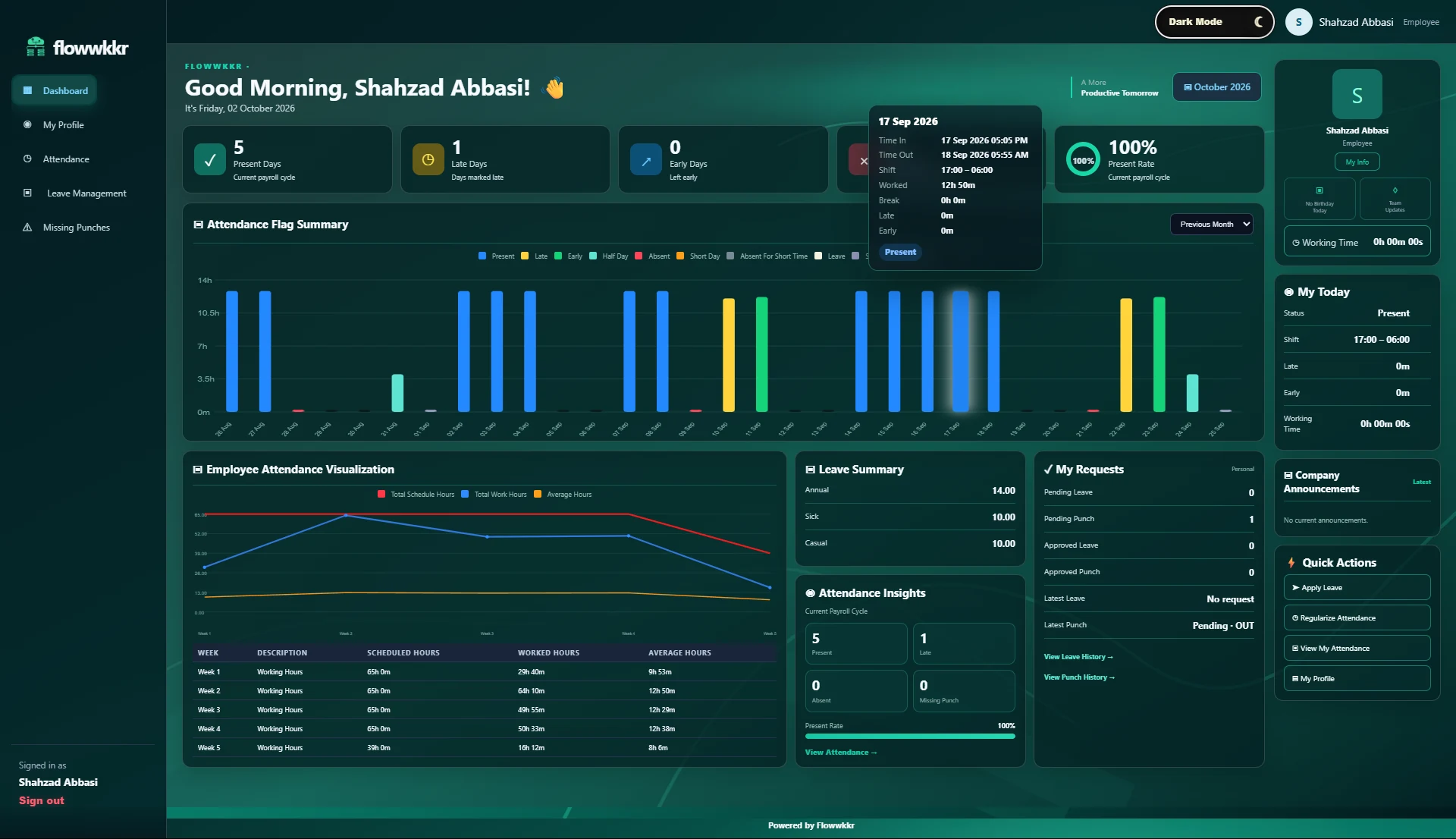
The employee record is the source of truth. Your biometric device mapping, leave balances and attendance all reference it. Update a job title once and it is correct everywhere, with no parallel spreadsheets left to reconcile.
The fields below are the ones that turn out to matter, because each one is referenced by attendance, leave or payroll later. Anything not referenced by another process is data entry, not record keeping.
| Field group | What it drives |
|---|---|
| Identity and contact | Employee self-service, notifications, payslip delivery |
| Department and designation | Scoped manager access, org reporting, headcount |
| Reporting line (manager) | Leave approval routing, team-scoped dashboards |
| Employment type and dates | Leave eligibility, pro-rata rules, joiners and leavers |
| Device User ID | Biometric punch mapping — the most commonly missed field |
Model your organisation properly: departments, designations and reporting relationships. This drives both access control and team-scoped views, so a department manager sees their team rather than the whole company.
Most employee data errors are not typos, they are status changes that never got recorded. Someone promoted stays a junior in the system, which quietly corrupts department headcount and approval routing for months.
Flowwkkr keeps employment status on the record so a change is a deliberate update, not something discovered during an audit.
Employees keep their own contact details and profile current, and view their own attendance and leave. HR spends its time on exceptions instead of data entry.
An employee file accumulates a lot of personal information over time, and the more modules you add, the more places it can leak from. The default should be that an employee sees their own record, a manager sees their own team, and anything wider is deliberate.
This is not only a security question. A manager who can see every department cannot be given self-service tools at all, so weak scoping quietly removes useful functionality as well as creating risk.
| Data | Who can see it | Why it matters |
|---|---|---|
| Own contact details | The employee | Self-service requires it |
| Team attendance and leave | The reporting manager | Manager self-service |
| Salary and personal data | HR and owners only | Not needed for day-to-day operations |
| Identity documents | HR only, with a recorded reason | Highest-sensitivity item on the record |
| Employment status history | HR, and the employee | Needed for final settlement and audit |
Contracts, letters, medical records and identity documents accumulate and then get lost, usually in a shared drive named something like "final_final2". Attaching them to the employee record makes them findable, which is the only reason anyone ever needs them.
The practical benefit shows up at the worst possible moment. When an employee disputes a deduction or a leaver asks for a document at 6pm, being able to produce the signed contract in thirty seconds is worth more than any dashboard.
Employee data degrades quietly. Someone changes their phone number and nobody tells HR, so emergency contact details are wrong for a year. Someone changes department and the system still shows the old one, so headcount is wrong in both departments.
Self-service reduces this because employees update their own details, and because the people most likely to know a change are the people who made it. Reviewing a sample of records each quarter catches the rest.
Org charts are easy to over-build. A structure accurate to three levels that nobody maintains is worse than a simple one, because people stop trusting it and go back to asking.
Model what you actually make decisions with: departments, designations, and who reports to whom. Everything else is a field you can add later without restructuring anything.
| Structure | Works when | Breaks when |
|---|---|---|
| Flat, no departments | Under about 15 people | Access rules and reports have nothing to group by |
| Departments and designations | Most established teams | Job titles are duplicated across departments |
| Full multi-level hierarchy | Groups with genuine sub-structure | Nobody updates it, so it becomes fiction |
Yes. Departments, designations and reporting lines are configurable to match how your organisation is actually structured, including non-standard titles.
Yes. Each employee gets their own account, so attendance and leave are attributed to the right person and self-service is meaningful.
Yes. Employee self-service lets employees maintain their own contact information and view their own attendance and leave records, with HR approval where a change is sensitive.
Employment status is set on the record, which stops them appearing in active headcount, attendance and leave calculations while keeping their history intact for audit.
Bring your device model, shift pattern and employee count. We will confirm fit on a private 2-hour demo.
Request a private 2-hour live demo and explore the HR workflow.