Flowwkkr is priced by employee capacity, so you pay for the team size you actually run. Every plan includes core HR, attendance, leave and employee self-service; larger plans add devices, sync agents and users.
Flowwkkr Pricing is the tiered cost structure Flowwkkr uses to price its HR and attendance software by employee capacity, device count and sync agents.
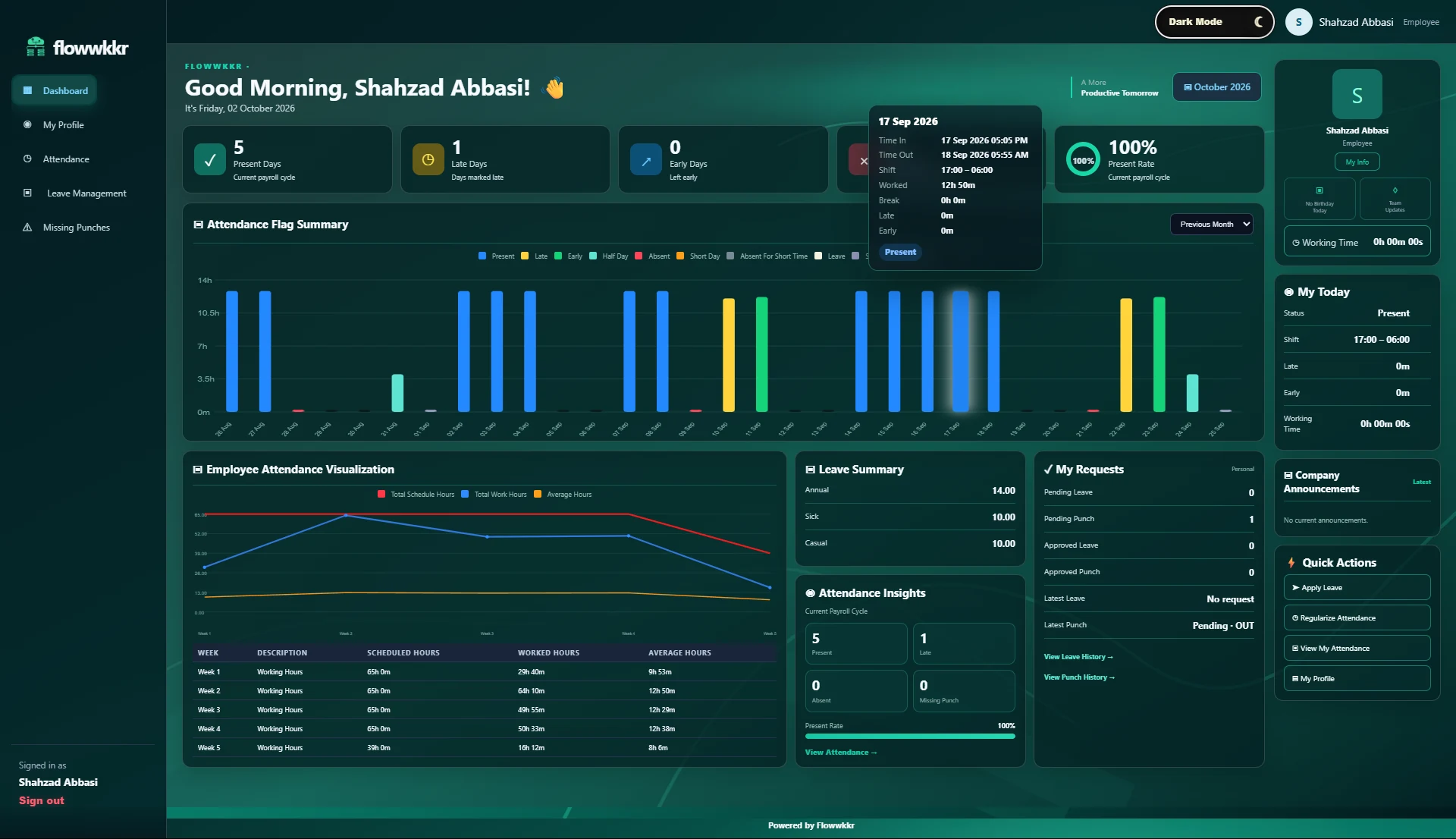
The Flowwkkr workforce dashboard, the same view every module writes into.
Reviewed by Syed Waqar Ali. Last checked .
Plans at a glance
Flowwkkr plans scale with your employee count, devices and agents:
Plan
Employee capacity
Devices
Sync agents
Price
30 Users
30 employees
2
1
PKR 18,000/month
50 Users
50 employees
4
1
PKR 25,000/month
100+ Users
100+ employees
6
2
PKR 40,000/month
What every plan includes
Every Flowwkkr plan includes the core modules, not a reduced tier of them:
Employee management
Attendance and shift tracking
Biometric device sync via the licensed agent
Leave management with approval routing
Employee self-service
Role-based access
Standard reporting
Optional licensed modules
Payroll, advanced reports, shift rosters, WhatsApp notifications and recruitment are available as licensed plugin modules on top of your base plan, so you only enable what you use.
This is a deliberate choice. A smaller employer paying for payroll they do not run is paying twice: once in licence cost, and again in the month-end reconciliation they still have to do.
What is not included
Hardware, third-party licences and implementation work by third parties are not part of the subscription. If you already have a supported ZKTeco device you do not need to buy anything new.
Choosing a plan
Size the plan on your peak employee count, not your average, because attendance and payroll both scale with the largest number of people you must cover. If your count sits just above a plan boundary, the difference in price is usually smaller than the cost of a mid-year upgrade and reconfiguration.
What a three-year Flowwkkr setup actually costs
Two honest notes on this. First, if you already own a supported ZKTeco device and have a spare office PC, the year-one cost is the licence. Second, the largest cost of any HR system is usually not the licence at all, it is the time spent fixing mismatches between tools, and that cost disappears rather than recurring.
Cost item
Year 1
Year 2-3
Comment
Flowwkkr 30-user licence
PKR 18,000/month
PKR 18,000/month
If you already have a supported ZKTeco device
Terminal hardware
One-off
-
Avoided entirely if you already own a device
PC for the sync agent
One-off
-
Usually a reused machine rather than new
Implementation
Varies
-
Mostly your own team cleaning data
Hardware replacement
-
Occasional
Budget roughly one replacement per few years
Optional payroll module
If needed
If needed
PKR 18,000/month covers core HR and attendance
What we need to know before recommending a plan
If you are unsure between two plans, book the demo and ask to be walked through the comparison using your own numbers rather than a generic example. We would rather size the plan correctly than sell the larger one.
Your peak employee count, not the average, including contract and seasonal staff
How many attendance devices, and how many separate sites
Which modules you actually run now, as opposed to which you might want
What happens when your team grows
Growth is the normal case, not the exception, and the question worth asking any vendor is what growth costs. Per-employee pricing means the bill moves with the business; per-device pricing means it moves every time you install another terminal.
Module entitlements can be changed without reinstalling, so the practical sequence is usually: start on the plan that matches today, add employees and devices as you grow, and add payroll or rosters at the point the manual process actually becomes the bottleneck.
Comparing Flowwkkr against paying someone to do it manually
For a business with no HR system, the honest comparison is not against another software licence. It is against the cost of the status quo, which is usually an HR person spending days each month on data entry and reconciliation that produces no information anyone uses.
That cost is invisible on an invoice because it is paid in salary time. It is also the cost that grows with headcount, which is why it usually becomes uncomfortable at around thirty people.
Cost of the manual approach
Typical
Note
Days per month on attendance data entry
2-5
Grows with headcount, not flat
Days per month reconciling payroll inputs
1-3
The part that causes disputes
Re-keying the same figures repeatedly
Ongoing
Every re-keying is an error opportunity
Month-end close
Several days
Plus the overtime it takes to finish
Cost when the HR person leaves
High
The knowledge leaves with them
What is deliberately not included
Being clear about the boundary is more useful than a long feature list. Flowwkkr covers employee records, attendance, leave, approvals, self-service and reporting, plus optional modules for payroll, rosters, notifications and recruitment.
It is not an accounting package, a statutory filing service, or a full ERP. If you need general ledger accounting, EOBI filing, or bank file generation, that sits with your accountant or your finance system. We will say so rather than imply otherwise.
Frequently asked questions
How is Flowwkkr priced?
By employee capacity. Plans start at 30 employees and scale to 100+, with device and sync-agent counts included per plan.
Do I need every module?
No. Optional modules like payroll and recruitment are licensed separately, so you only pay for what you actually run.
Is pricing in PKR?
Yes. Flowwkkr prices in PKR for Pakistani businesses, quoted directly rather than converted from a USD list price, so the figure you are given does not move with the exchange rate.
Can we change plans as we grow?
Yes. Your plan can be adjusted to match your employee count and devices as the team grows, and module entitlements can be changed without reinstalling.
Do we need to buy a biometric device?
Usually not. If you already have a supported ZKTeco LAN device, Flowwkkr works with it. Confirm your model with us before purchasing new hardware.
See it against your own requirements
Bring your device model, shift pattern and employee count. We will confirm fit on a private 2-hour demo.
The plan covers employee capacity up to the number on the card, a stated number of attendance devices, and one Flowwkkr Sync Agent. Leave, approvals, payroll-ready reports and employee self-service are included rather than sold as extras. Optional modules on the plugins page are priced separately and are the only additional cost.
Do we need to buy attendance hardware?
Usually not. Flowwkkr connects to supported LAN biometric terminals over their own network protocol through the Sync Agent, so if you already own a working ZKTeco or equivalent device you can keep it. We confirm your specific model on a demo before you commit to anything.
How does a shift that crosses midnight get counted?
Attendance is calculated against the rostered shift rather than the calendar date, so a 22:00 to 06:00 shift is one working day ending in the morning it finishes, including across a month boundary. This is the single most common reason attendance software is rejected after go-live, and it is worth testing with your own shift timings during a demo.
What happens if we stop using Flowwkkr?
You can export your employee, attendance and leave data. Ask for a sample export during your evaluation rather than taking a promise on trust; if a vendor will not show you one before you buy, treat that as a warning about the exit path as well.
Can we start small and add users later?
Yes. Plans are priced on employee capacity, so moving between the 30, 50 and 100 user tiers is a plan change rather than a migration. Your data, device configuration and enrolments carry over.
Is pricing per employee or per device?
Per employee capacity, with a device allowance inside each plan. This matters because attendance software quoted per device gets harder to forecast as headcount grows. Ask any vendor for a first-year total in PKR rather than a licence figure.